
Logic
HomeWikiForumsStore
Sign in with Discord
Start here
  • Welcome to the Logic Wiki!
  • How to Start Playing Logic
  • How to verify
  • Connection Issues
  • Youtube Reward - FREE 500K
  • FAQ
Logic
  • Skills & XP System
  • Turf System
  • Trapper Job
  • Mechanic Job
  • Garbage Job
  • Health Service
  • Prison Escape
  • Racing
  • Food, Consumables & Vending
  • HUD
  • F5 Gang System
Guides
  • Starter Guide
    • Voice Setup
    • Logic FPS Settings
      • GTA FPS Problems
    • Fix Texture Loss
  • Weapon Guide
  • Vehicle Guide
  • Phone Guide
  • House Guide
  • Controls
  • Cleaning Dirty Cash
  • Heists / Robberies
  • Zones
  • Jobs
  • Licenses
Factions
  • Whitelisted Factions
Store
  • How to open a ticket
  • Store Guide
  • Lockslot Guide
  • Clothing Guide
  • Custom Gun Whitelist Guide
  • Baller ID Swap Guide
Support
  • Logic Discord Servers
Guides / Starter Guide

Logic FPS Settings

A FPS F2 Settings Guide!

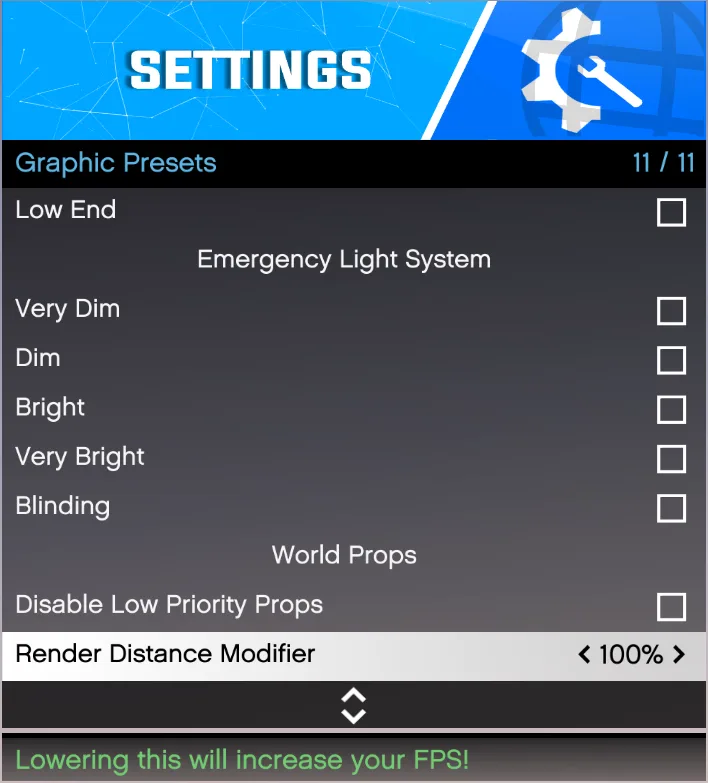
Graphic Presets

Press F2 > Settings > Graphic Presets
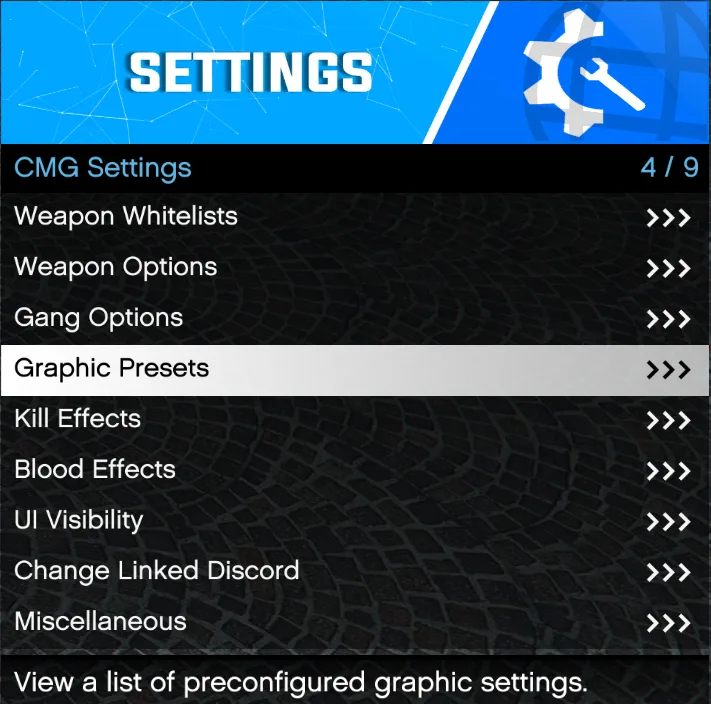

Disable Low Priority Props: Removes small ambient world objects

Render Distance Modifier: Can be lowered to 50% or increased to 1000% (100% is default)

GTA FPS ProblemsA FPS Guide!
PreviousVoice SetupNextGTA FPS Problems

Last updated 7 October 2026

On this page
  • Graphic Presets
  • Press F2 > Settings > Graphic Presets
© 2026 Logic

Play

Your accountBan appealsRules

City

WikiForumsStoreDiscord